





Your Web Attack Surface, now in the terminal — meet the Purplemet CLI
You already monitor your web applications with Purplemet. The Purplemet CLI brings that same Web Attack Surface Management engine to your terminal and your CI/CD pipelines — so a security analysis is one command away, and a risky deployment can be stopped before it ships.
It runs anywhere: Linux, macOS, Windows, and a ~15 MB Docker image. Find it on GitHub.
curl -sSL https://raw.githubusercontent.com/Purplemet/cli/main/scripts/install.sh | sh
export PURPLEMET_API_TOKEN=<your-token>
purplemet-cli analyze https://your-app.com
That single analyze command launches an analysis, waits for it to finish, and prints a color-coded summary: security rating (A–F), issues by severity, detected technologies, WAF, and the status of every gate you configured.
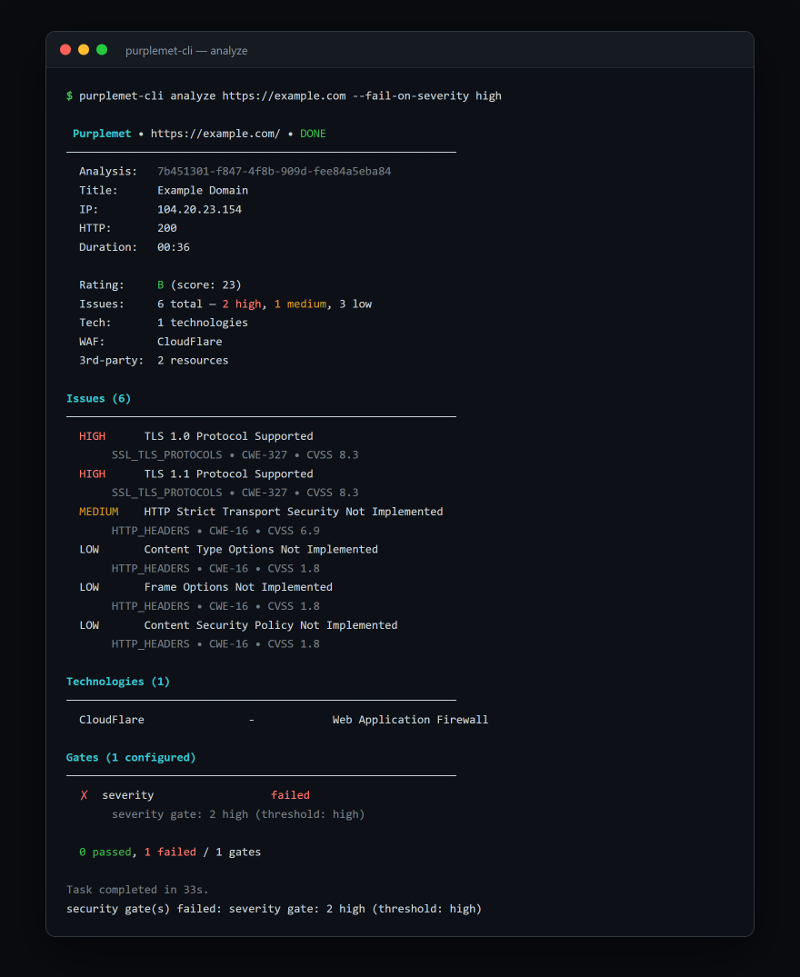
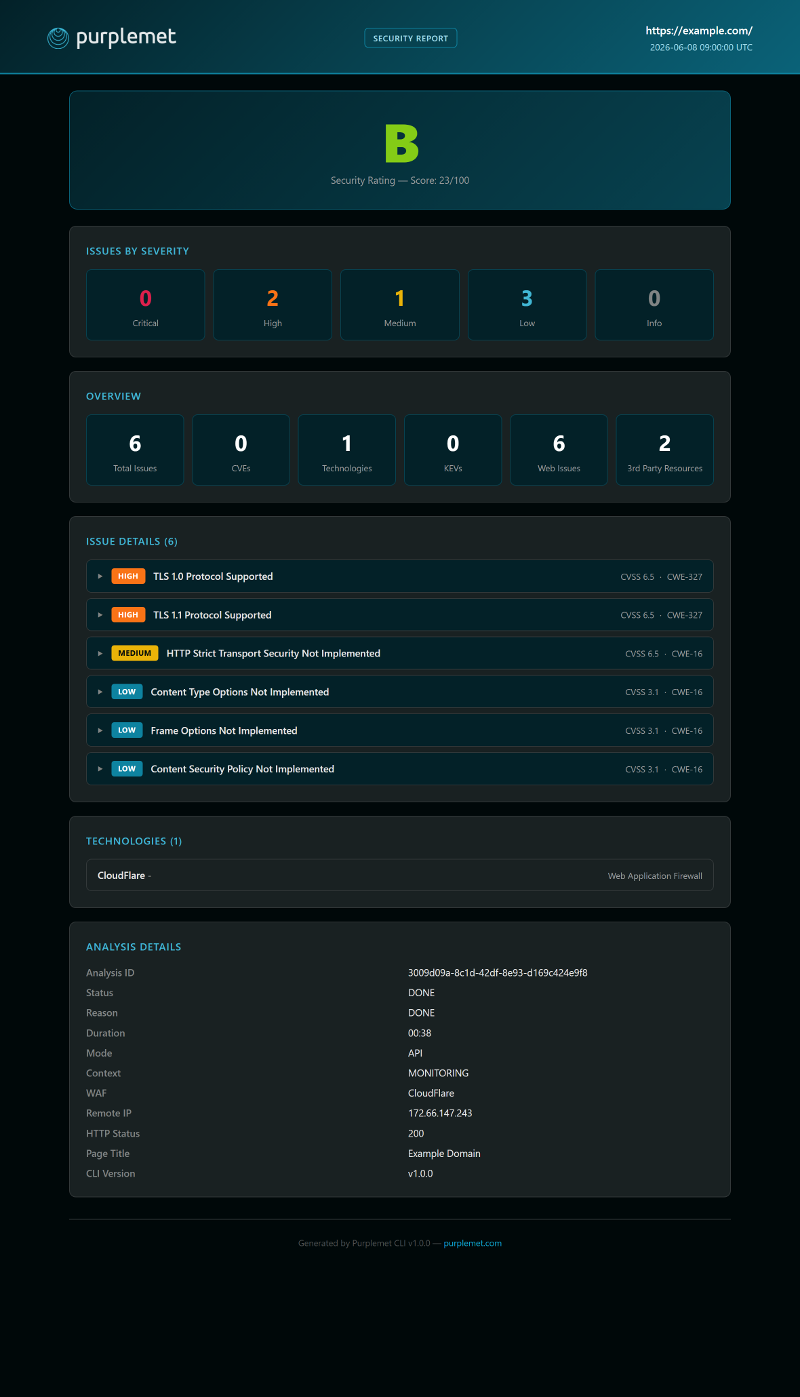
One analysis, four formats
The same analysis can be rendered for whoever needs it:
The HTML report is a single self-contained file — easy to attach to a ticket, archive as audit evidence, or publish as a pipeline artifact.
Your security policy, as code
Security gates turn findings into pass/fail decisions. Combine as many as you need — the analysis fails (exit code 1) if any gate trips:
purplemet-cli analyze https://your-app.com --json \
  --fail-on-severity high \    # block on high/critical issues
  --fail-on-kev \              # block on CISA Known Exploited Vulns
  --fail-on-eol \              # block on end-of-life components
  --fail-on-cert-expiry 30 \   # block if a cert expires within 30 days
--require-waf # block if no WAF is detectedThere are gates for CVSS and EPSS thresholds, SSL/TLS, HTTP headers, cookies, exposed sensitive services, OpenSSF score, banned technologies, and more. Issues you've explicitly acknowledged (issues ignore) are always excluded — an accepted risk never re-fails a pipeline.
Built for CI/CD
Ready-to-use integrations ship for GitHub Actions, GitLab CI, Bitbucket Pipelines, Jenkins, and Azure DevOps. Wire it into your pipeline and a regression in your security posture stops the build:
[purplemet] Analysis complete (40s)
[purplemet] FAILED  severity: severity gate: 2 high (threshold: high)
[purplemet] 1/1 gate(s) failed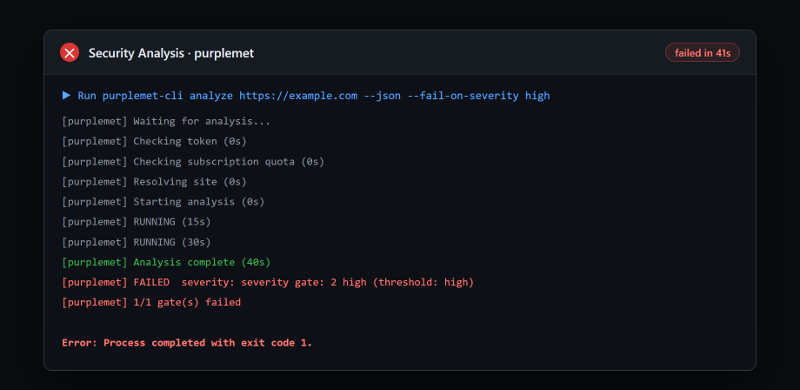
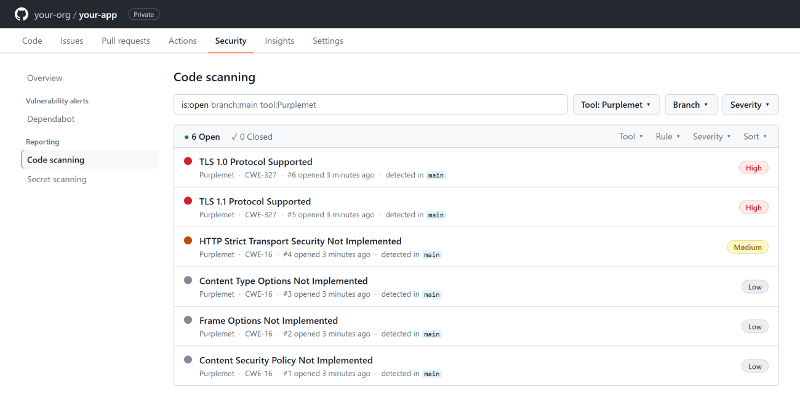
With SARIF output, findings land natively in GitHub Code Scanning: in the Security tab and as inline annotations on the pull request.
Track your posture over time
Schedule recurring analyses and compare any two runs to measure progress:
purplemet-cli diff <analysisId1> <analysisId2> --site-id <siteId>
# Rating:  C → B   Score: 45 → 18 (-27)   Issues: 25 → 12 (-13)   CVEs: 5 → 1 (-4)
The CLI also exposes your full inventory from the command line — sites, tech, certificates, services, ip, domains, issues — each filterable and scriptable.
Get started
purplemet-cli auth check && purplemet-cli analyze https://your-app.comCreate a token at cloud.purplemet.com, grab the source and releases on GitHub, and read the documentation to go further. Same platform, same ratings — now scriptable.


