





Updates and new features
Purplemet Cloud 1.29.0 is now available! This new version features several updates and enhancements compared to the previous version, as described hereafter.
Domains – Review of Mail Hardening Policies
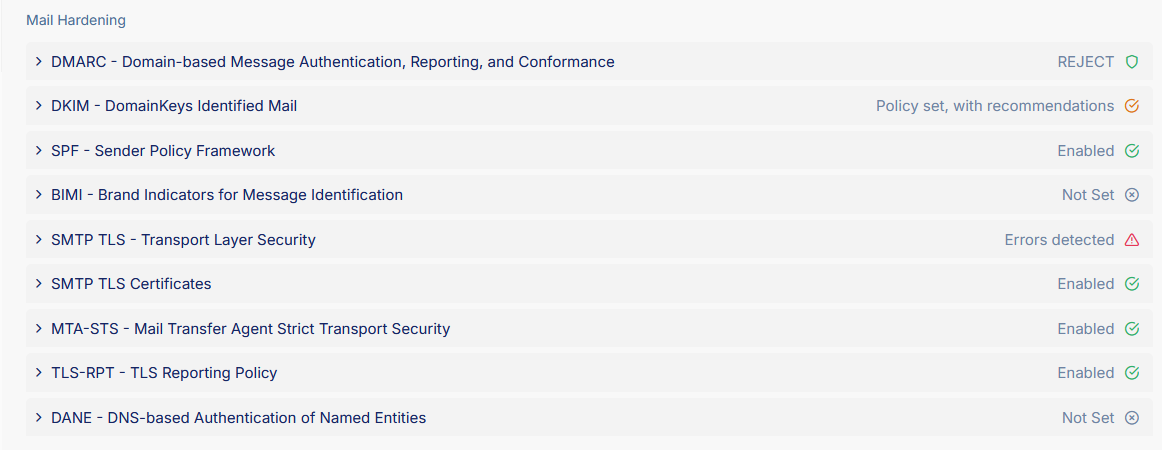
The display of email-related security controls has been reorganized to improve readability and consistency in the Domains view. A brand-new Mail Hardening section is now available.
It centralizes all controls related to email security and makes it possible to quickly assess the robustness of your SMTP infrastructure.
This new section groups together the email policies already supported by Purplemet (SPF, DKIM, DMARC, BIMI) and introduces five new SMTP hardening checks:
- TLS
- Certificates
- MTA-STS
- TLS-RPT
- DANE
Each category follows the same display model as the other security audits in the product:
- Grouping by detected SMTP server
- Expansion icon to show details
- Clear status
- Tag for the record type
- Child rows showing associated DNS entries (MX, TXT, TLSA, etc.)
This new section provides a complete, structured, and actionable view of a domain’s email security, bringing together in a single place all critical SMTP protection mechanisms.
New columns are available in the Domains list:
- SMTP TLS – Indicates whether TLS is enabled for the domain
- SMTP TLS Certificates – Shows the availability and validity of SMTP TLS certificates
- MTA-STS Policy – Shows whether an MTA-STS policy is enabled
- TLS-RPT Policy – Indicates whether a TLS-RPT policy is configured for the domain
- DANE Policy – Shows whether DANE is enabled for the domain
Sensitive Service Detection (BETA)
With this new feature, Purplemet detects network services considered sensitive on each IP address associated with the analyzed web applications. Discovery of these services is performed during the web application analysis. This feature is available as part of the Purplemet BETA Program.
Enabling Sensitive Service Detection
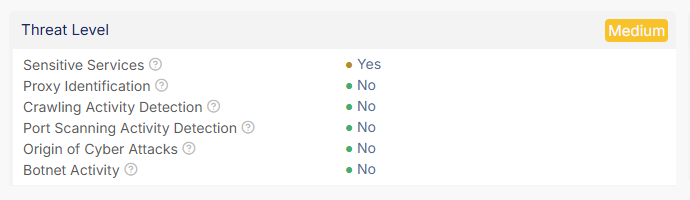
A subscription administrator can enable sensitive service discovery at the IP address level of a web application through a new option on the subscription management page. The user can also provide an additional port, along with its protocol, that they want Purplemet to treat as sensitive if the port is found open. From this section, it is possible to retrieve the list of ports considered sensitive by Purplemet and therefore included in the port scan. The discovery of sensitive services on an IP address raises its Threat Level to MEDIUM if it was previously lower.
IP Addresses
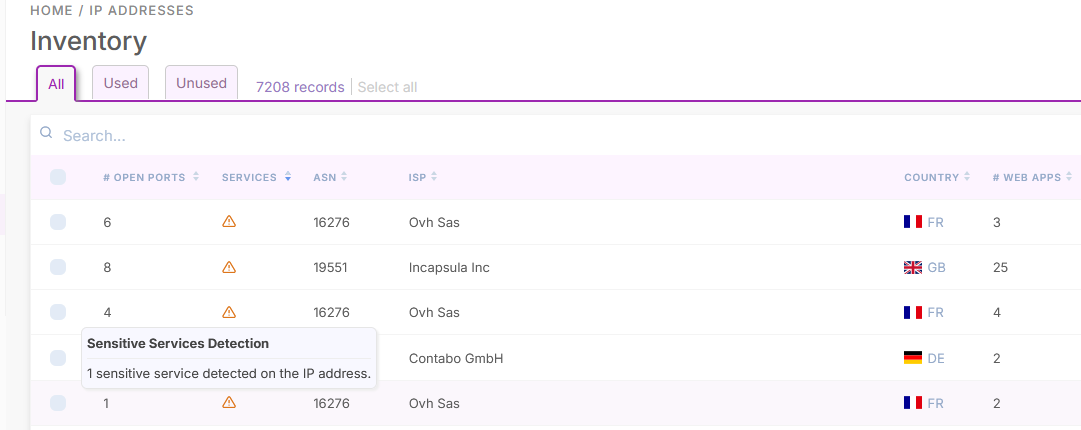
New columns are available in the IP address list:
- # Open ports – Number of open ports found among ports known to be sensitive and ports used for web application discovery
- Sensitive Services – Indicates whether sensitive services have been discovered on the IP address
The Threat Level section of an IP address now includes a new Sensitive Services field indicating whether sensitive services have been detected for that address.
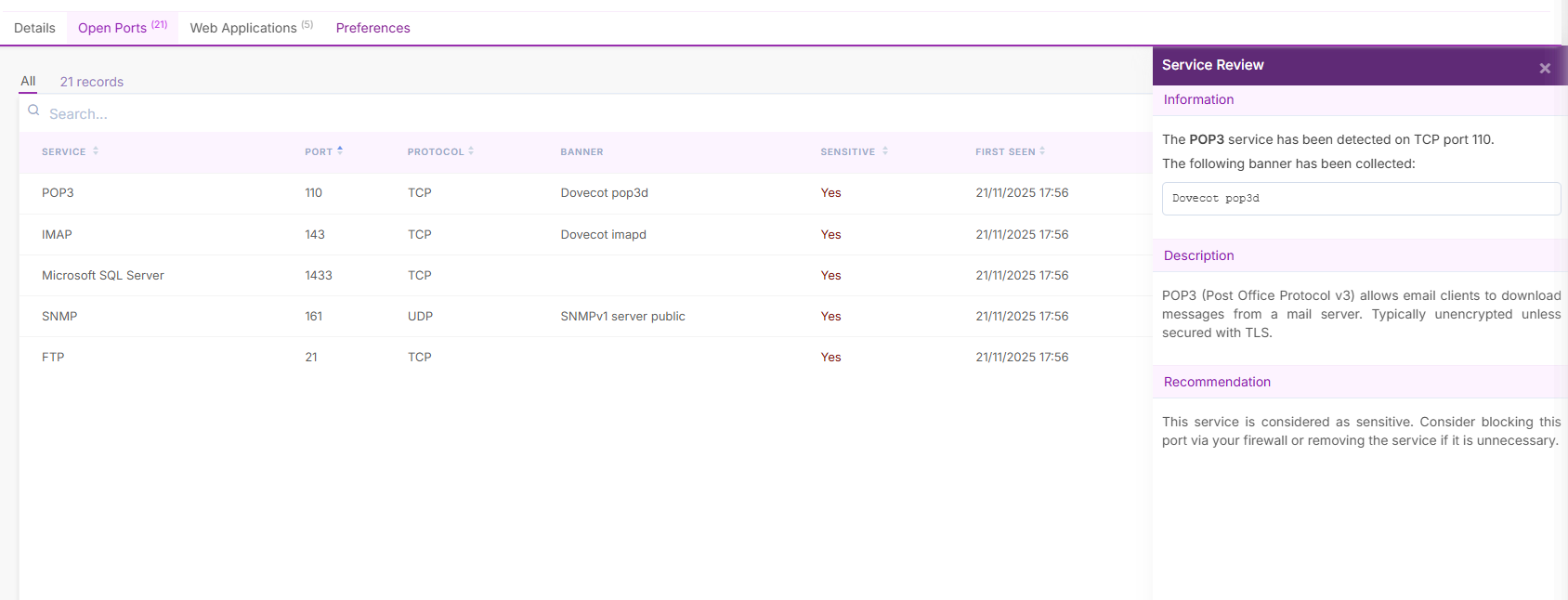
The Open Ports tab shows the list of open ports detected by Purplemet and indicates whether the service running on each port is considered sensitive.
Web Applications
A new Sensitive Services column is available in the web applications list, indicating whether sensitive services have been detected on the associated IP address.

The IP Address section exposes a new Sensitive Services field indicating whether sensitive services have been detected on the associated IP address.

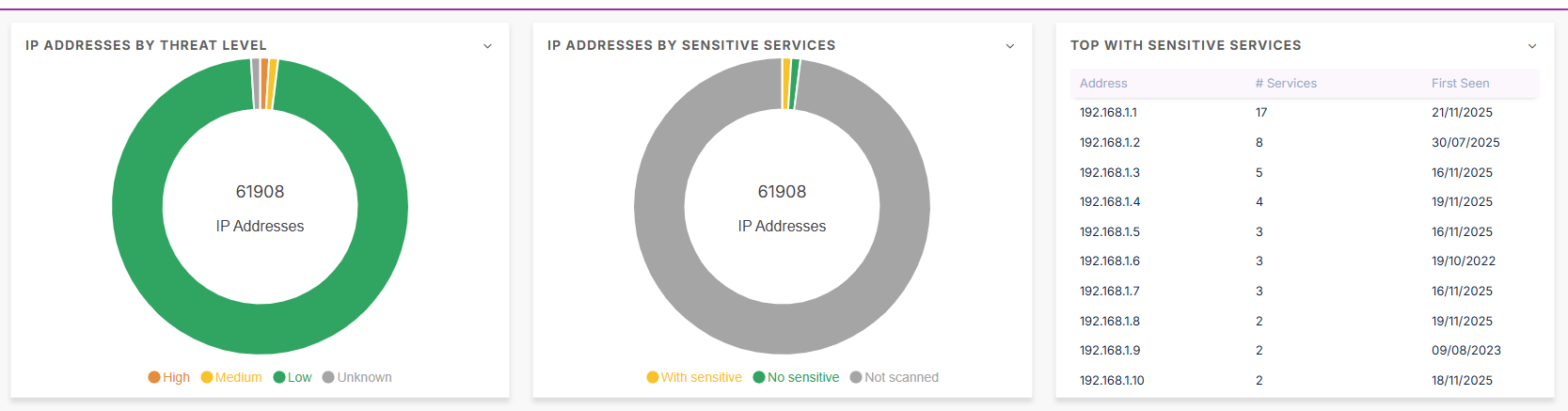
IP Address Dashboard
The IP address dashboard provides two new widgets:
- IP addresses by sensitive services
- Top IP addresses with sensitive services
Exports
The export features for IP addresses and web applications now include new columns related to sensitive services:
Sensitive Servicesfor IP addresses and web applications# Sensitive Servicesfor IP addresses and web applications# Portsfor IP addresses
Detection of New Web Applications via Service Detection (BETA)
When detecting sensitive network services, Purplemet also performs discovery of web applications running on the ports tested for sensitive services, as well as on the ports used for web application detection during the domain discovery phase. Any web application found is then added to the customer’s subscription, and a pre-analysis is performed to allow users to determine whether the application is relevant for more in-depth analysis.
Tag Support for Domains (BETA)
This feature is available as part of the Purplemet BETA Program.
Domains
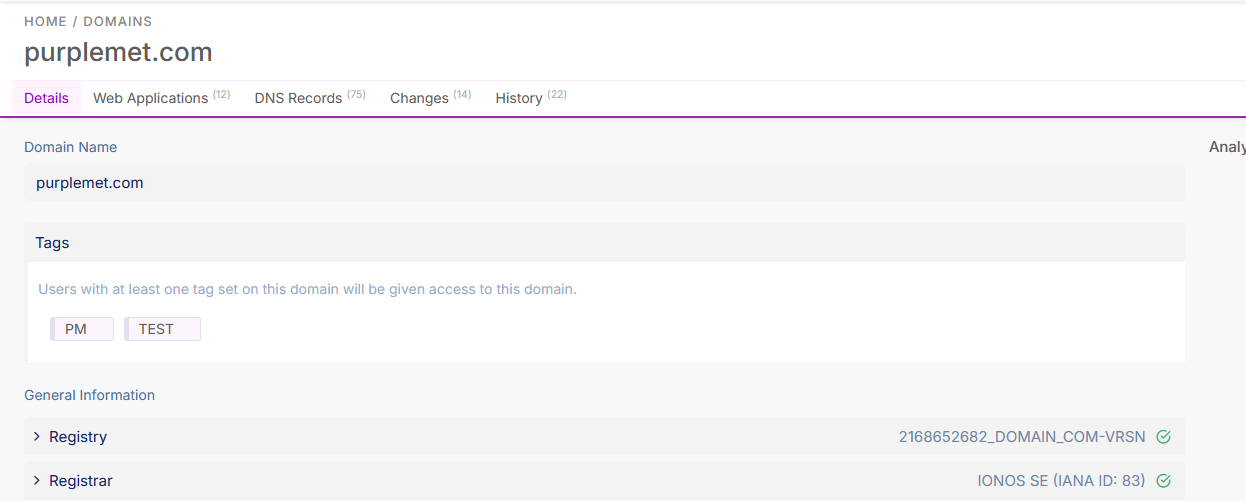
Domains are now associated with tags, redefining permission management for users:
- All users have access to domains provided they have full access, or they share at least one tag with a domain.
- A new Tags column shows the tags associated with each domain.
- Actions related to tag management have been added to domains.
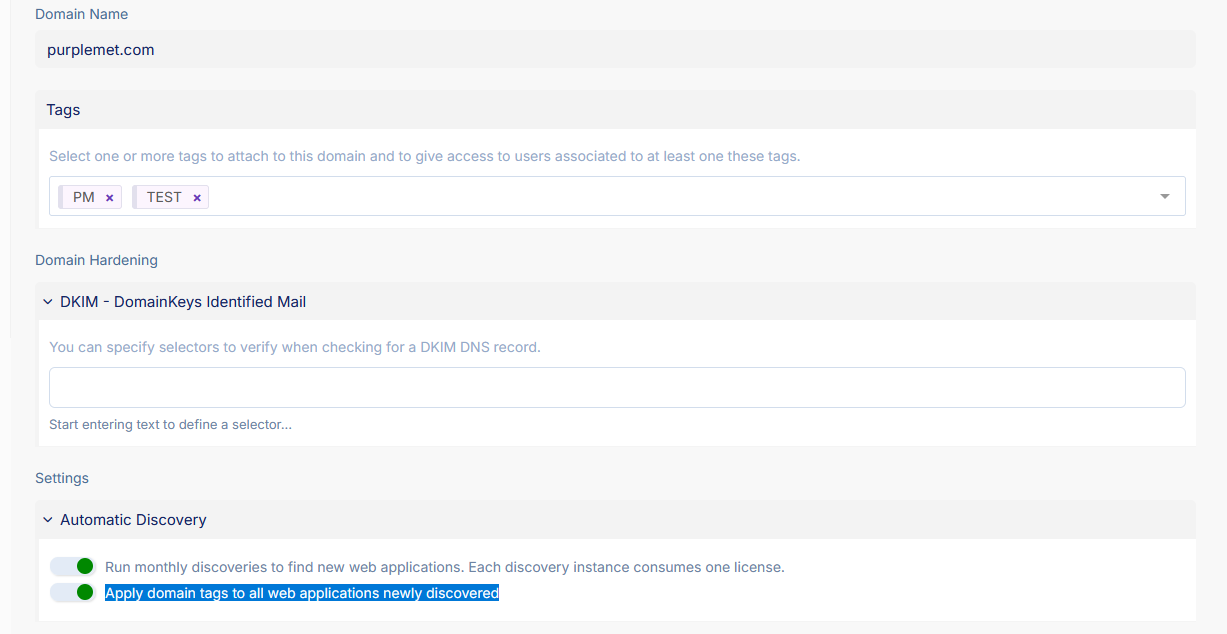
Administrators can now define tags for a domain.
A new option is also available to automatically add these tags to all web applications discovered in the future. This option is enabled by default.
Domain Import
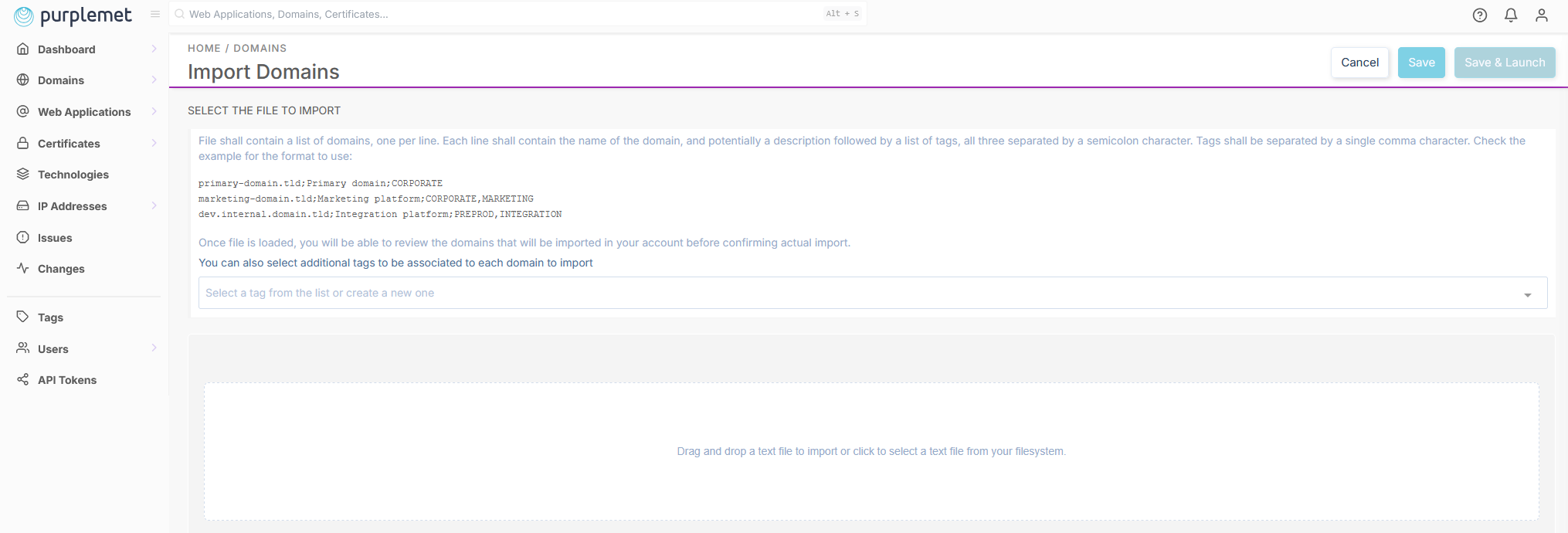
The domain import page now allows you to add a description and tags for each domain to be imported.
Tags
A new # Domains column is available in the Tags list, indicating the number of domains associated with each tag. The tag detail page includes a Domains tab that lists associated domains and provides actions to add or remove the tag from domains.
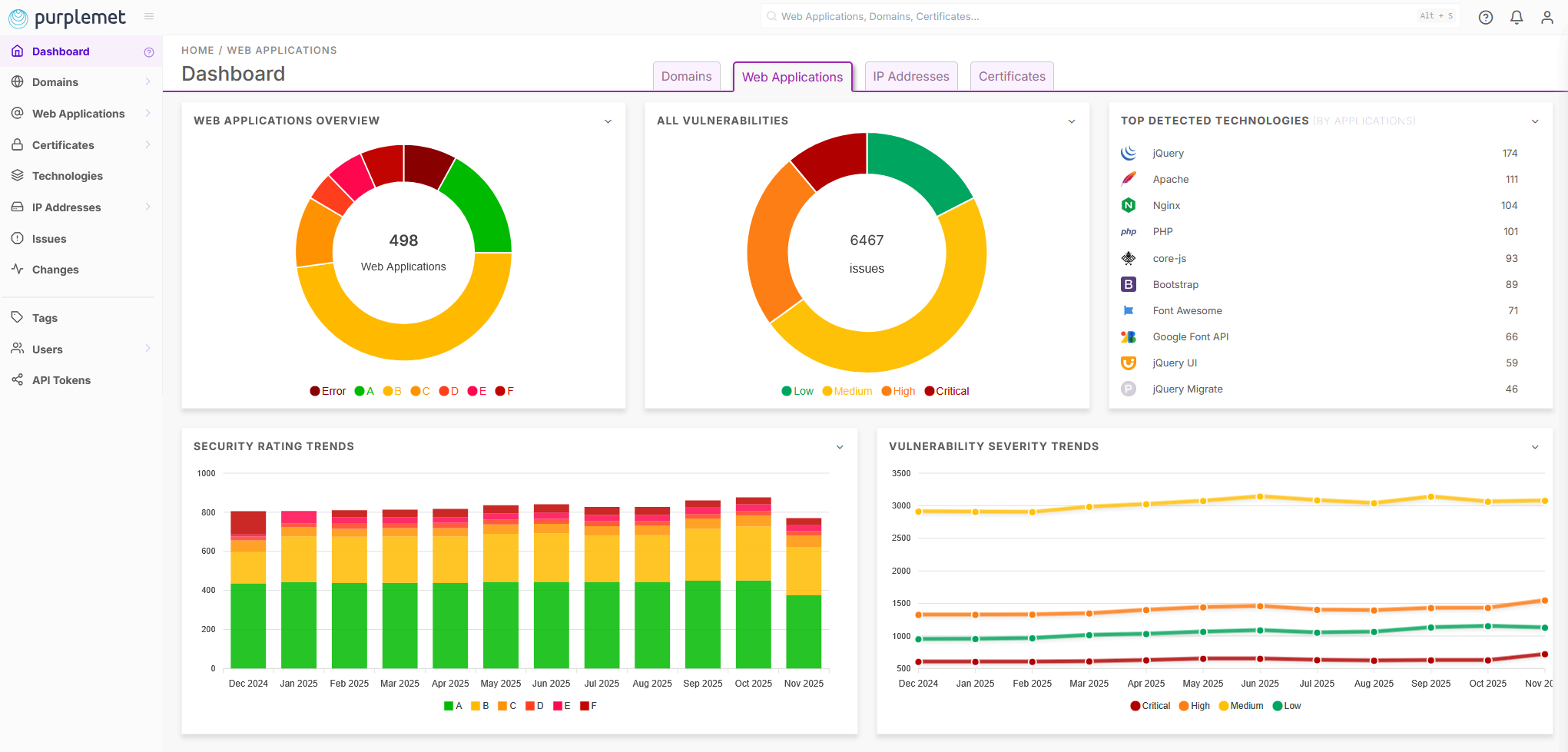
Main Dashboard Redesign
The main dashboard has been redesigned to provide an overall view by type of asset monitored by Purplemet:
- Domains
- Web Applications
- IP addresses
- Certificates
In addition, the Dashboard navigation menu has been simplified and no longer includes sub-sections.
Additional Updates
- A new
Users / Sessionssection is now available to view open sessions for subscription users and terminate any open session. - All out-of-scope responses (i.e. responses whose domain does not match the domain of the web application URL) are now displayed, whereas previously only the first out-of-scope response was shown.


